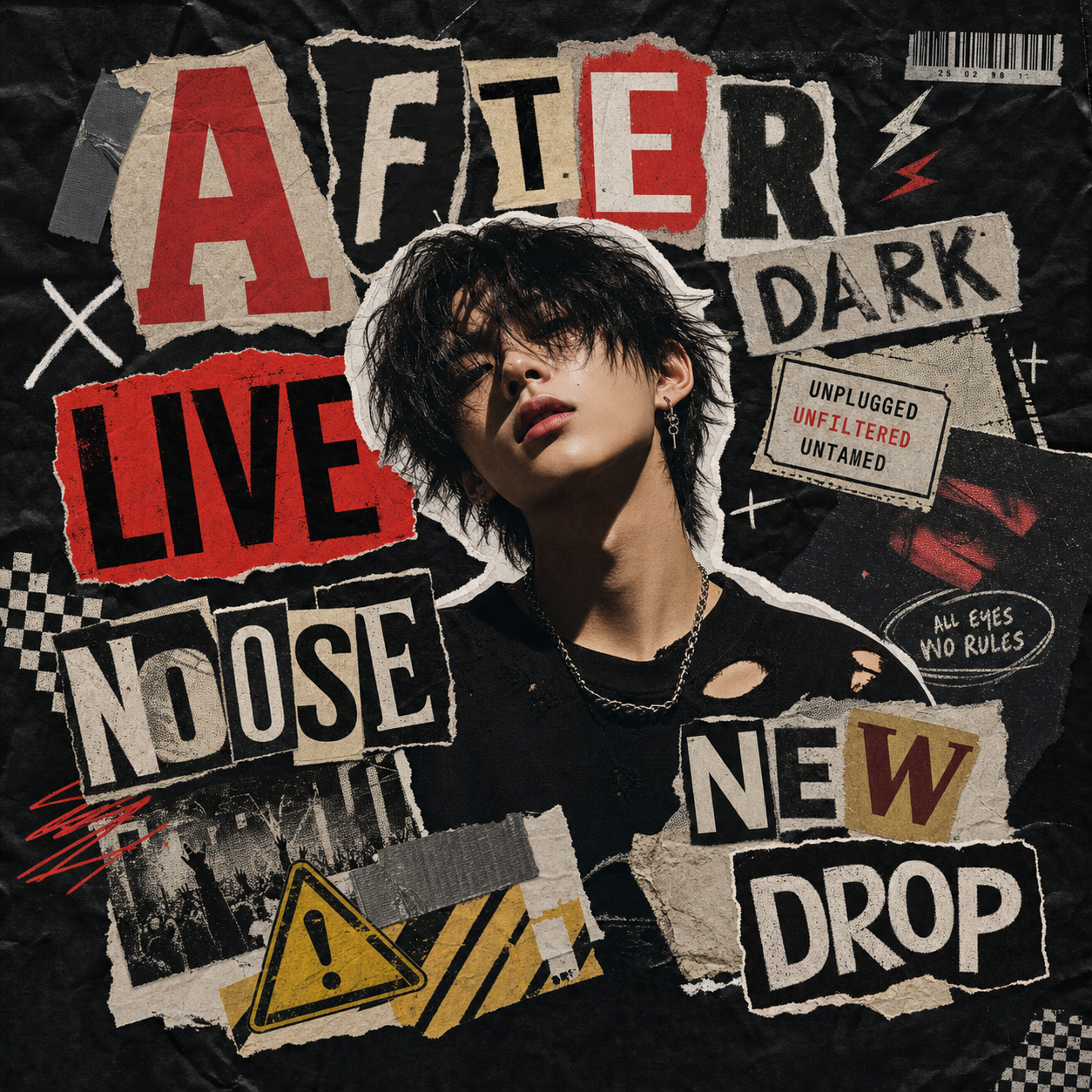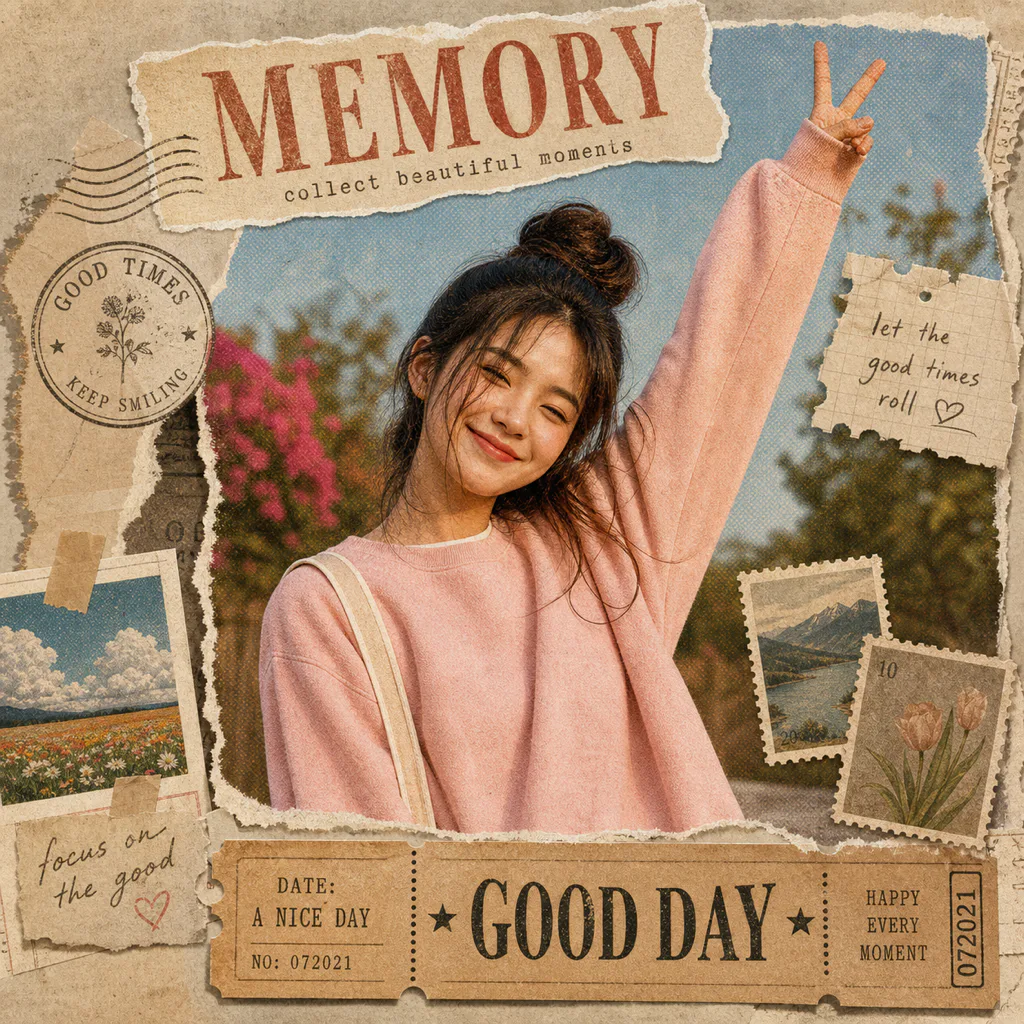
What is Vintage Poster?
Vintage Poster is an AI preset that turns a photo into a designed poster-style collage with paper grain, torn edges, ticket-like strips, subtle halftone texture, stamped shapes, and small notes. It is a photo filter alternative for people who want texture and layout, not just a color preset.
Best use cases
Vintage Poster is useful when a normal photo filter feels too flat. Many photo filters change color, contrast, warmth, or grain, but they leave the image structure mostly untouched. This preset goes further by adding poster composition, scrapbook texture, and vintage paper details while preserving the recognizable subject.
Use it for travel memories, outfit posts, cafe photos, music or event recaps, product mood shots, creator thumbnails, and lifestyle images that need a finished editorial feel. A street photo can become a small poster with ticket details and soft paper texture. A portrait can get a tasteful vintage photo filter mood without losing the person's face. A product photo can feel like a lookbook page instead of a plain catalog image.
It can also serve people searching for the best minimal photo filter when they want restraint but not emptiness. Vintage Poster is not meant to flood the image with stickers. The strongest results use a few paper elements, clean contrast, and small notes that make the photo feel collected, printed, and designed.
The preset is also a good bridge between casual editing and campaign-style visuals. A creator can use it for a travel recap, a musician can use it for a rehearsal photo, and a small brand can use it for a mood image without building a full graphic layout from scratch. The vintage treatment adds context and texture while the original subject remains the main anchor.
How it works in ClearCrowds
When Vintage Poster is selected, ClearCrowds opens the editor with a prompt that asks the AI to preserve the central subject and create a vintage collage poster around it. The seed prompt names paper grain, soft halftone texture, torn edges, ticket-like strips, stamped shapes, tiny notes, and a short title. It also tells the model to avoid fake brand or place text.
That matters because vintage designs often rely on text, labels, stamps, and found-paper details. The ClearCrowds preset keeps those details generic and mood-based, so the image does not accidentally claim a real event, location, or brand. The goal is a flexible poster effect that can fit many uploads.
Unlike a standard filter, the preset can change the visual hierarchy of the image. It can give the subject a poster frame, add paper edges for depth, and use small note details to make the image feel printed. This is useful when the photo is already good but needs a stronger editorial finish for a page, carousel, or story cover.
Because the preset is reusable, it can also support a consistent visual series. Travel days, product drops, outfit recaps, and memory posts can share the same vintage poster language while still using different source photos.
That repeatability is useful for SEO and content teams as well as creators. The page can show one clear preset promise, while the editor gives users a practical way to recreate that style on their own images.
Try Vintage Poster when a regular filter is not enough and you want a designed photo preset.
Tips for better results
Start with a photo that has a clear focal point. A person, product, landmark-like scene, cafe table, outfit, car, pet, or object gives the poster composition something to anchor.
Use images with enough resolution for texture. Paper grain and halftone details look better when the source photo is not already compressed too heavily.
Keep the headline short if the preset asks for one. One or two words usually work better than a full sentence because poster-style text needs to stay readable.
Choose Vintage Poster when you want a crafted layout. If you only need color correction, a simple filter may be enough. This preset is best when you want collage structure, texture, and a visual story.
FAQ
Is Vintage Poster just a vintage photo filter?
No. It includes vintage filter-like mood, but it also adds poster layout, paper texture, torn edges, ticket details, and subtle collage elements.
Can it replace normal photo filters?
It can when you want a more designed output. If you only need color changes, standard photo filters are simpler. If you want an editorial poster effect, Vintage Poster is a better fit.
Is it minimal or heavily decorated?
The preset aims for a balanced poster style. It can feel like a best minimal photo filter when the source image is clean and the decoration stays restrained.
What photos should I avoid?
Avoid very cluttered screenshots, low-resolution images, and photos where important details already sit at the very edge. The poster treatment needs room for paper and note details.